
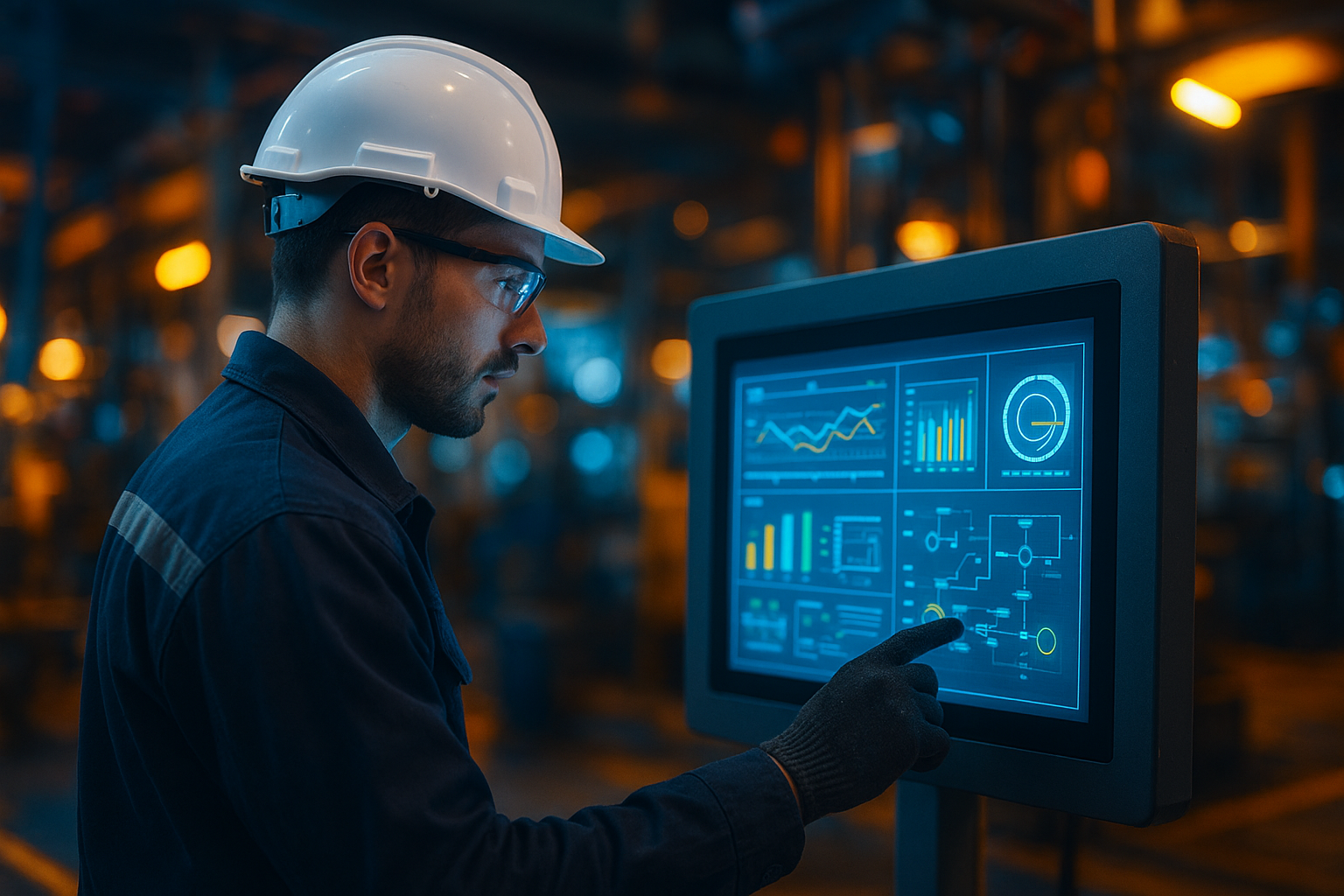

HMI stands for Human-Machine Interface. It is the vital layer that connects operators to industrial systems, letting users monitor, control, and optimize machine processes in real time. As HMI technology advances, factories see a dramatic rise in efficiency and productivity, thanks to intuitive interfaces, robust automation, and flexible data visualization.
What Is HMI? Definition & Purpose
HMI (Human-Machine Interface) describes the digital control panels, touchscreens, or graphical screens that enable people to interact with and oversee complex machinery. Usually seen in industrial settings, HMIs act as the bridge linking human operators to programmable logic controllers (PLCs), sensors, and factory devices.
At a quick glance, an HMI often looks very similar to a tablet or a large dashboard. But its main difference is its integration with industrial processes—allowing users to start, stop, and fine-tune systems in real time. This centralizes control and provides a clear overview of operations.
How Do HMIs Work?
HMIs gather data from connected devices (like PLCs or sensors) and translate that data into easy-to-read graphics and controls. When an operator issues a command, the HMI relays instructions to the appropriate machinery, closing the feedback loop.
Modern HMIs offer not just control and monitoring, but also alerts, historical data trends, and diagnostic tools. This makes them essential for maintaining uptime and ensuring safe, efficient workflows in factories and plants of all sizes.
| Feature | Description |
|---|---|
| Definition | Digital interface for people to control and monitor machines |
| Main Uses | Supervising, adjusting, and visualizing industrial processes |
| Core Elements | Display screens, touch input, connectivity to controllers (PLCs/DCS) |
| Primary Industries | Manufacturing, energy, water treatment, food processing |
| Common Vendors | Siemens, Rockwell, Schneider Electric, Advantech, Mitsubishi |
Key Features of Modern HMI Systems
What makes today’s HMI solutions so valuable? A quick look at their leading features shows why they have become indispensable:
- Intuitive Touchscreen Interfaces: Large, clear controls make operation simple for all users.
- Multi-language Support: Adapt displays for global teams in seconds.
- Alarm Management: Automatic alerts highlight issues before they become costly failures.
- Data Logging and Trending: Track performance, downtime, and process history with just a few taps.
- Remote Access: Securely monitor or adjust systems from anywhere using mobile devices or browsers.
- Customizable Dashboards: Tailor screens to display only relevant KPIs for each user role or task.
Many features mirror those in basic consumer devices, but HMI software often pushes reliability and industrial security a step further. The difference that stands out is robust connectivity with industrial protocols, advanced redundancy options, and long-term support for harsh environments.
Types of HMIs: From Basic Panels to SCADA
The world of HMI covers a wide range of software and hardware. Understanding the major types is key to choosing the right fit for your application:
1. Basic Text-Based HMIs
Simple, text-only displays used for minimal data entry or status updates. Look very similar to calculators or early digital clocks.
2. Graphic Operator Panels
Offer richer visuals with buttons, gauges, and animated diagrams. Common in most small- to medium-sized industrial setups.
3. PC-Based HMIs
Advanced solutions running on standard computers or industrial PCs. PC-based HMIs provide wider integration, reporting, and support multi-user access. They often look very similar to familiar desktop dashboards.
4. Web-Based & Mobile HMIs
Access real-time control screens from smartphones, tablets, or browsers. This flexibility is now a clear advantage for distributed teams.
5. SCADA Systems (Supervisory Control & Data Acquisition)
While technically broader, many consider SCADA the most powerful HMI type. SCADA combines advanced visualization with process management, data archiving, and enterprise-level reporting. The processing engine is quite powerful, making it suitable for large-scale operations.
- Basic HMIs: Entry-level, for simple control/monitoring
- Advanced Graphic HMIs: Flexible visuals, richer feedback
- PC/Web-Based: Integration, scalability, remote access
- SCADA: Full plant management, analytics, enterprise features
Real-World HMI Application Examples
HMIs play pivotal roles in everyday operations across diverse industrial sectors. Some application examples include:
- Manufacturing: Line operators manage machinery, track output, and respond instantly to bottlenecks.
- Water Treatment: Technicians monitor pumps, levels, and chemistry to ensure safe water supply.
- Food & Beverage: Process engineers adjust temperature and speed for perfect quality control.
- Energy Management: Utility companies optimize power plant performance, visualize demand, and maintain uptime.
- Building Automation: Facilities staff control lighting, HVAC, and security from unified dashboards.
The interface provides a much clearer view of processes and potential issues than manual gauges or paper logs ever could. This accelerates response and reduces the risk of costly downtime.
Top HMI Vendors & Platforms
A handful of vendors dominate the HMI landscape. At a glance, you will quickly notice similarities in layout and features—many platforms follow standard navigation and widget templates. The top players include:
- Siemens SIMATIC WinCC: Widely used for large factory and SCADA applications.
- Rockwell Automation PanelView: Renowned in North America for manufacturing lines.
- Schneider Electric Magelis: Flexible options from entry-level to advanced panels.
- Advantech WebAccess: Leading web-based and remote HMI platform.
- Mitsubishi Electric GOT: Favored in Asia-Pacific for robust, reliable operator panels.
Other options such as ABB, Pro-face, and Emerson cover specialized industries and unique integration needs. The main difference that stands out is often in the user interface style, support for legacy devices, and cybersecurity features.
How to Choose the Right HMI
Selecting an HMI isn’t just about the fanciest screen or fastest processor. Start by considering these factors:
- Application Size: Small machines may only need basic panels, while large plants require SCADA-level solutions.
- Connectivity: Match the HMI’s protocol support to your equipment (Ethernet/IP, Modbus, OPC UA, etc).
- Environment: Industrial panels must withstand dust, temperature, and vibration. Office-style PCs may not last on a factory floor.
- Scalability: Will you need to expand coverage, integrate data, or allow for mobile access in the future?
- Ease of Use: Ensure user roles and panels are clearly defined for operators, engineers, and managers alike.
The right HMI brings immediate value and supports your long-term goals. Consulting with vendors, integrators, and service bureaus helps avoid costly missteps.
Future Trends in HMI Technology
As automation grows more complex, so do HMIs. The next wave in HMI technology is already taking shape:
- Augmented Reality (AR) & Virtual Reality (VR): On-screen overlays and immersive interfaces could make even the most complex systems intuitive.
- Voice & Gesture Control: Hands-free operation promises faster, safer responses in hazardous settings.
- Cloud Integration: Real-time backup and analysis unlock smarter maintenance and cross-site performance management.
- AI-Driven Insights: Predictive analytics and automated troubleshooting are emerging within advanced HMI platforms.
Staying informed on these trends means you will enjoy smoother automation, increased uptime, and new efficiencies never before possible. The most realistic workflow experience will be one that adapts to users—wherever they are.
FAQ: All About HMI
What does HMI stand for?
HMI stands for Human-Machine Interface.
Where are HMIs used?
They are used in factories, power stations, treatment plants, warehouses, and any industry where operators need to monitor and control automated processes.
What is the difference between HMI and SCADA?
SCADA systems are a broader category that include HMI features but also add real-time data collection, analytics, and supervisory controls.
Is PLC the same as HMI?
No. PLCs control machines automatically at the hardware level, while HMIs provide the graphical layer for humans to interact with those machines.
How secure are modern HMI systems?
The latest HMIs offer strong encryption, authentication, and network security features. Still, regular updates and proactive management are vital.
Can I access my HMI data remotely?
Yes. Many HMIs now support remote access via web browsers and mobile apps, with appropriate security controls.